If you've spent time and money getting customers to your Shopify store, the last thing you want is for them to buy just one item and leave. Upselling — the art of encouraging customers to spend a little more — is one of the most cost-effective ways to grow your revenue without increasing your ad spend. In this guide, we'll cover the most effective Shopify upsell strategies you can implement today, including how to use the Shopify upsell at checkout to capture last-minute revenue.
Why Upselling Matters for Shopify Stores Before we get into the tactics, let's talk numbers. Acquiring a new customer is anywhere from 5 to 25 times more expensive than selling to an existing one. When a customer is already in a buying mindset — browsing your product page or heading to checkout — that's your highest-leverage moment to increase the order value. Done right, upselling doesn't feel pushy. It feels helpful. The key is relevance: showing the right offer, at the right time, to the right person.
Add-to-Cart Popup / Slide-In with an Accessory Offer
!slide in example One of the highest-converting upsell moments on Shopify is immediately after a customer clicks "Add to Cart." Instead of sending them straight to the cart page, trigger a popup or slide-in drawer that suggests a relevant accessory or complementary product. Why it works: The customer has already committed to buying. Their purchase intent is at its peak. A well-timed accessory suggestion — say, a protective case when someone buys a phone, or a matching belt when they add jeans — feels like a natural recommendation, not a sales push. The free shipping progress bar: Inside this same cart drawer, include a progress bar showing how close the customer is to qualifying for free shipping. For example: "You're $12 away from free shipping!" This simple addition has been shown to meaningfully increase average order value, because customers would rather spend a little more on products than pay for shipping. It's one of the most underrated Shopify upsell tactics out there.
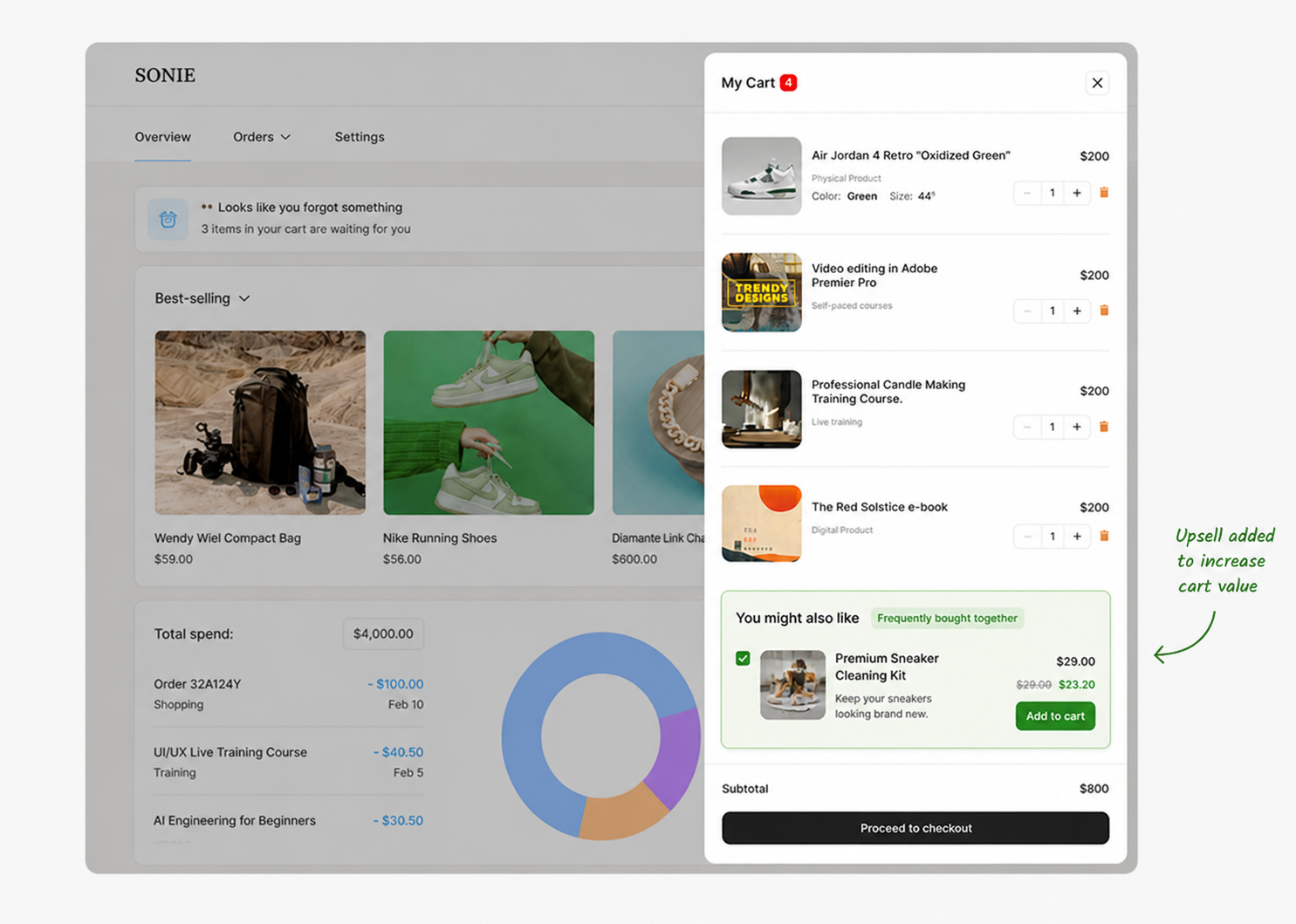
Tips for implementation:
- Keep the accessory offer tightly related to what was just added to the cart
- Use a clean, non-intrusive slide-in rather than a disruptive full-screen popup
- Apps like Slide Cart Drawer or AfterSell can handle this natively on Shopify
Bundle Deals: Buy One, Get a Discount on Two More
!bundle deal example Bundle pricing is a classic upsell strategy that works especially well in ecommerce because it combines perceived value with higher spend. The mechanic is simple: when a customer adds one item, offer them a deal if they grab two more — for example, "Buy 3 for the price of 2" or "Add 2 more and save 20%." Why it works: Bundles tap into the same psychology as bulk buying in physical retail. Customers feel like they're getting a deal, even if they weren't planning to buy multiple units. It's also a great way to move slower inventory by pairing it with your bestsellers. Where to show it: The product page (PDP) is the ideal placement. Display the bundle offer clearly near the Add to Cart button so customers see the deal before they've made their decision. According to conversion rate research, the area around your buy button is prime real estate — anything placed here gets disproportionate attention.
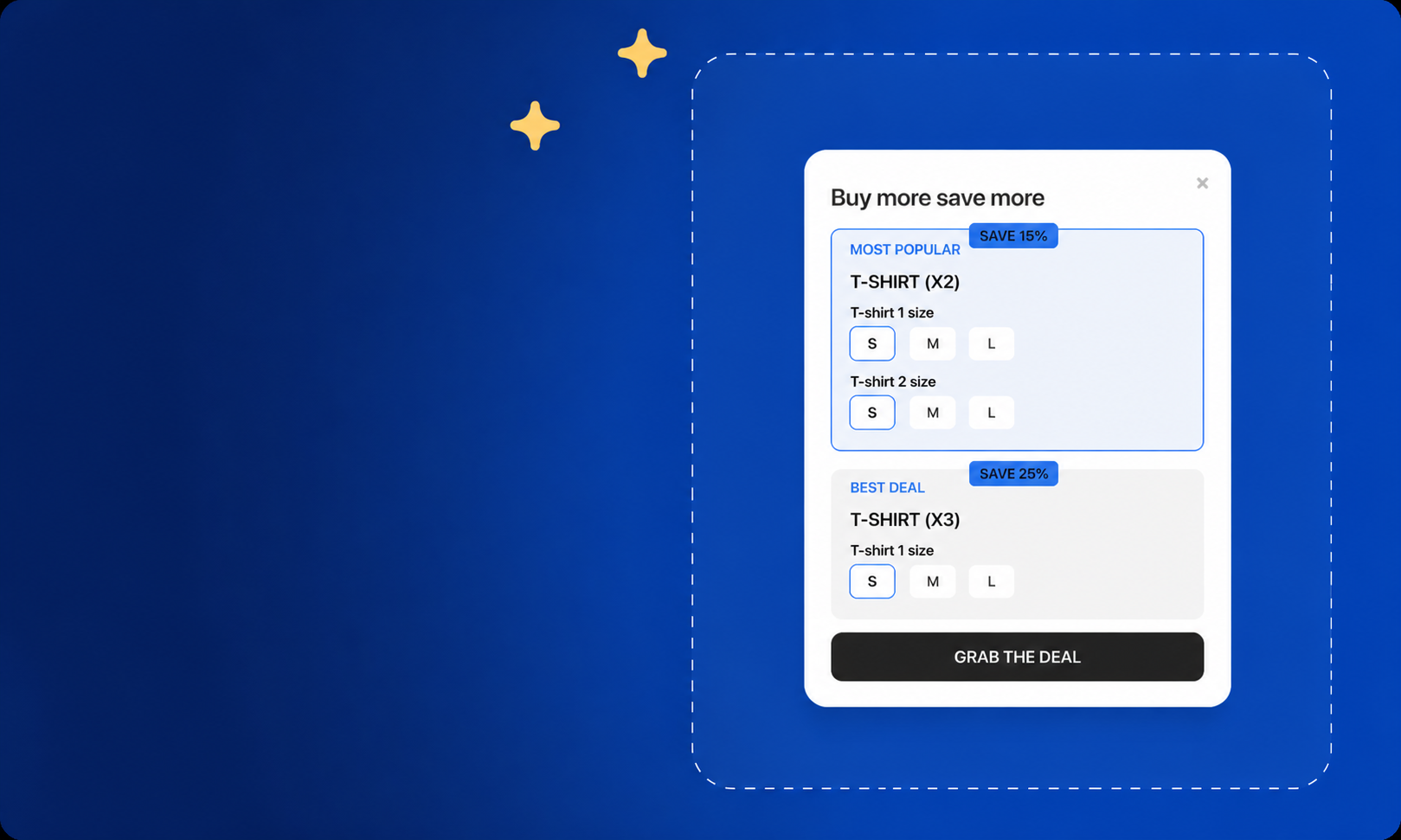
Tips for implementation:
- Use apps like Frequently Bought Together or Bundler – Product Bundles on Shopify
- Show the original price vs. bundle price to make the savings tangible
- Use real product imagery for each item in the bundle — don't just list text
Shopify Upsell at Checkout: Express Handling / Priority Shipping
This is one of the most overlooked Shopify upsell at checkout opportunities available. If your store offers free standard shipping, you can still charge for an upgraded, faster option — and a significant portion of customers will take it. Why it works: Shipping speed is genuinely valuable to many buyers, especially for gifts, time-sensitive purchases, or just impatient shoppers. Offering a "Express Processing — ships within 24 hours" option for $4.99–$9.99 at checkout is a pure revenue add-on that costs you very little to implement and requires no additional product. The psychology here is straightforward: the customer has already decided to buy. They're on the checkout page. Adding a small, clearly-explained upgrade for faster delivery is an easy yes for a meaningful slice of your customers.
Tips for implementation:
- Be honest about what "express" means — if you can't actually fulfill faster, don't offer it
- Frame it around the customer's benefit: "Get it by Thursday — upgrade to priority handling"
- Shopify's native shipping settings or apps like Intuitive Shipping allow you to create tiered shipping options based on cart value or product type
Post-Purchase Upsell: Strike While the Iron Is Hot
The Shopify upsell at checkout doesn't have to end at the order confirmation page. Post-purchase upsells — offers shown immediately after the customer has completed payment — convert surprisingly well because there's no risk of cart abandonment. The sale is already done. Offer a complementary product at a one-time discounted price with a single click. Because payment details are already entered, the friction is nearly zero. Apps to consider: AfterSell Post Purchase Upsell and ReConvert are popular Shopify-native solutions for this.
Social Proof on Your Upsell Offers
One thing that dramatically improves upsell conversion rates is social proof. Whatever upsell you're offering — an accessory, a bundle, an upgrade — pair it with a review, a star rating, or a "bestseller" badge. A customer who is considering adding a product to their cart is still in evaluation mode. Seeing that 400 other customers bought this item alongside their purchase, or that it has a 4.8-star rating, removes doubt and makes the decision easy. This applies especially to your product pages (PDPs). Displaying customer reviews prominently — ideally right below the product title — builds trust before the upsell moment even arrives. A customer who already trusts your store is far more likely to say yes to an add-on.
Quick-Reference: Shopify Upsell Checklist
Frequently Asked Questions
What is the best time to upsell on Shopify?
The highest-converting upsell moments are: (1) immediately after add-to-cart, (2) on the checkout page, and (3) immediately post-purchase. Each stage has different psychology — use all three for maximum impact.
Does upselling hurt the customer experience?
Only if the offers are irrelevant or overly aggressive. Keep upsells contextual, useful, and easy to dismiss, and most customers will experience them as a helpful recommendation rather than a hard sell.
What's the difference between upselling and cross-selling?
Upselling encourages the customer to buy a more expensive or upgraded version of something. Cross-selling suggests related or complementary products. In practice, many of the tactics above blend both — for example, suggesting accessories (cross-sell) at a bundle discount (upsell).
Upselling isn't about squeezing more money out of customers — it's about helping them get more value from their purchase while you grow your average order value. Start with one or two of these tactics, measure the impact, and expand from there. Even a modest lift in AOV can have a dramatic effect on your store's profitability over time.